






The Best Workflow Tools For Content Teams & Media Businesses

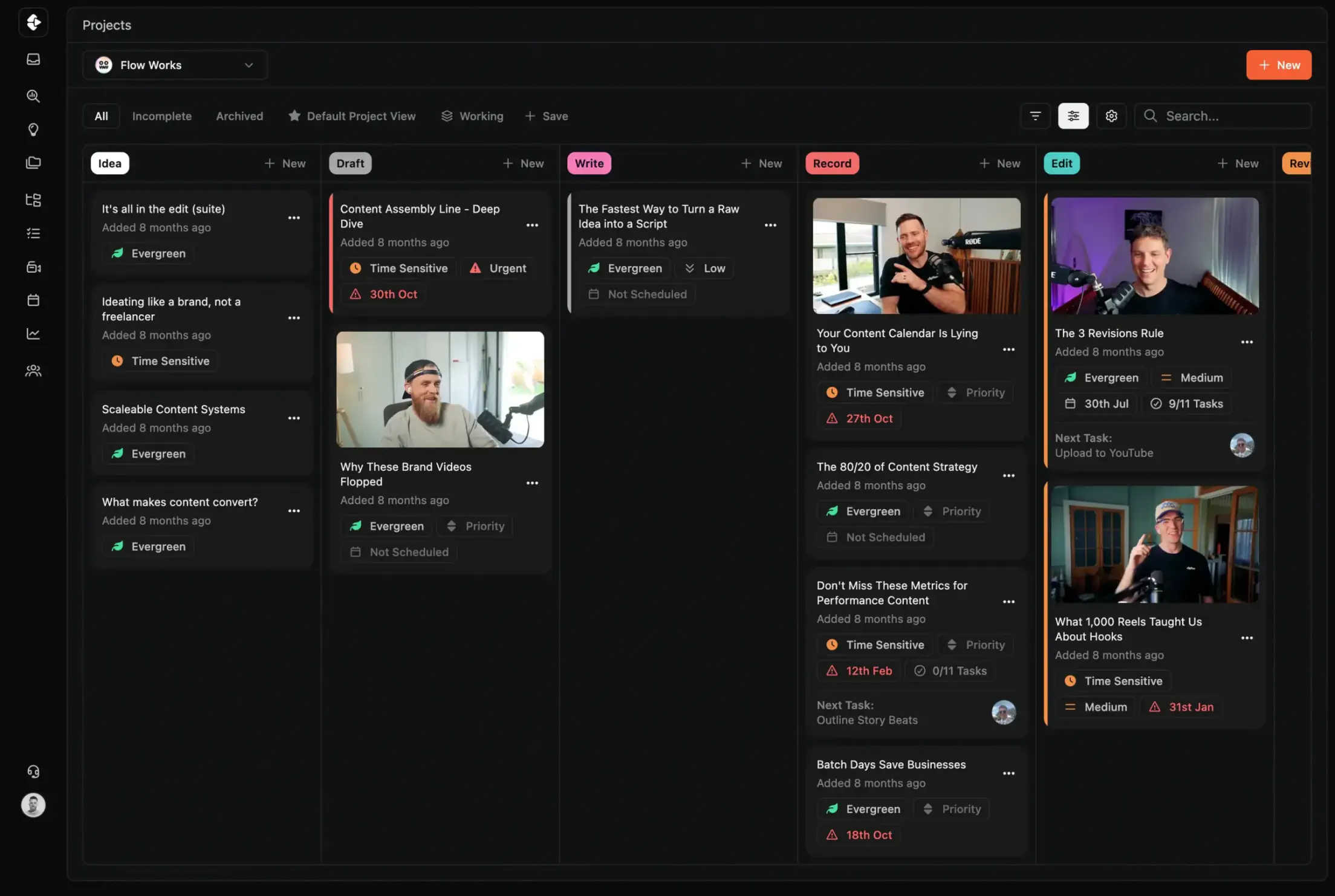
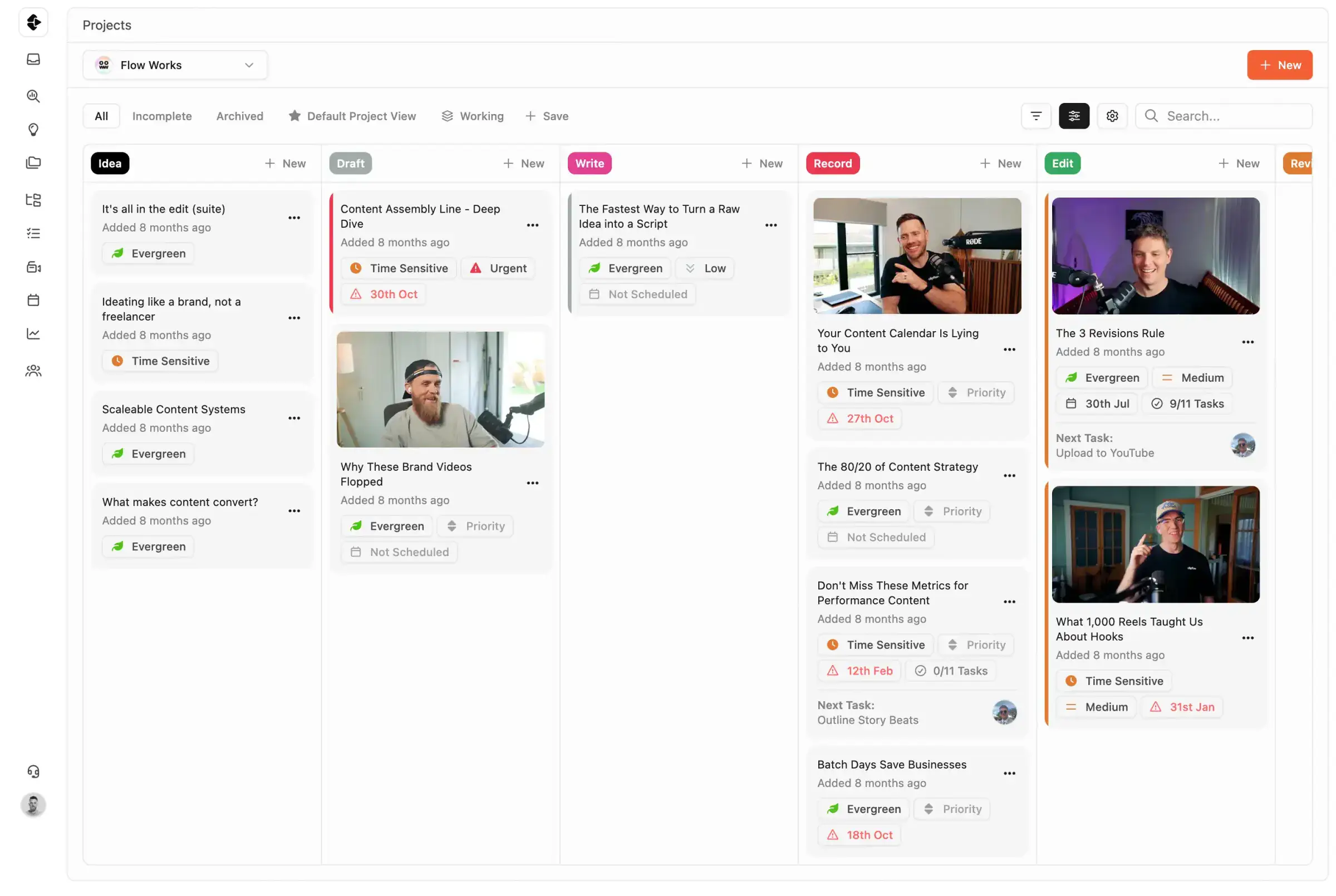
Most project management tools were built for product, software and marketing teams. They stretched into 'everything' app territory to cover any workflow. Clipflow was built specifically for content from day one. You can compare for yourself what tool suits your team best.

Join 3,100+ Business Owners Today

High-Output Media Businesses Trust Clipflow

Other Tools

  • Scripts in Google Docs, tasks in Notion, reviews in Frame.io
  • Manually chasing editors for status updates
  • Thumbnails lost in Slack threads
  • No single view of what's shipping this week
  • Every new hire means another week of onboarding the stack

Clipflow

  • Scripts, tasks, files, and reviews in one project
  • Real-time status across every stage of production
  • Assets versioned and attached to the project they belong to
  • One dashboard: what's shipping, blocked and next
  • New team members see the full picture from day one

What content teams optimize for

  • Fast planning-to-publish cycles without manual handoff overhead.
  • Clear ownership and visibility across writers, editors, and stakeholders.
  • Review and execution staying connected instead of fragmented across tools.

What Content Teams are Using

Asana workflow

Asana

General project planning and team task management.

No multi-assignee. No video review. Workload management gated behind the $24.99 plan.
Compare
ClickUp workflow

ClickUp

Highly configurable docs, tasks, and dashboards.

3 weeks of setup before you're running content. Documented reliability issues since 2021.
Compare
Notion workflow

Notion

Content planning docs, wikis, and lightweight project boards.

A wiki, not a production system. Nothing tells you what's overdue.

Compare
Trello workflow

Trello

Simple Kanban boards for content queues.

Great Kanban. No approvals, no version control, no unified client view.

Compare
Frame.io workflow

Frame.io

Video review and timestamped feedback.

Best-in-class video review. No project management, no task workflow, no scheduling.
Compare
Clipflow workflow

Clipflow

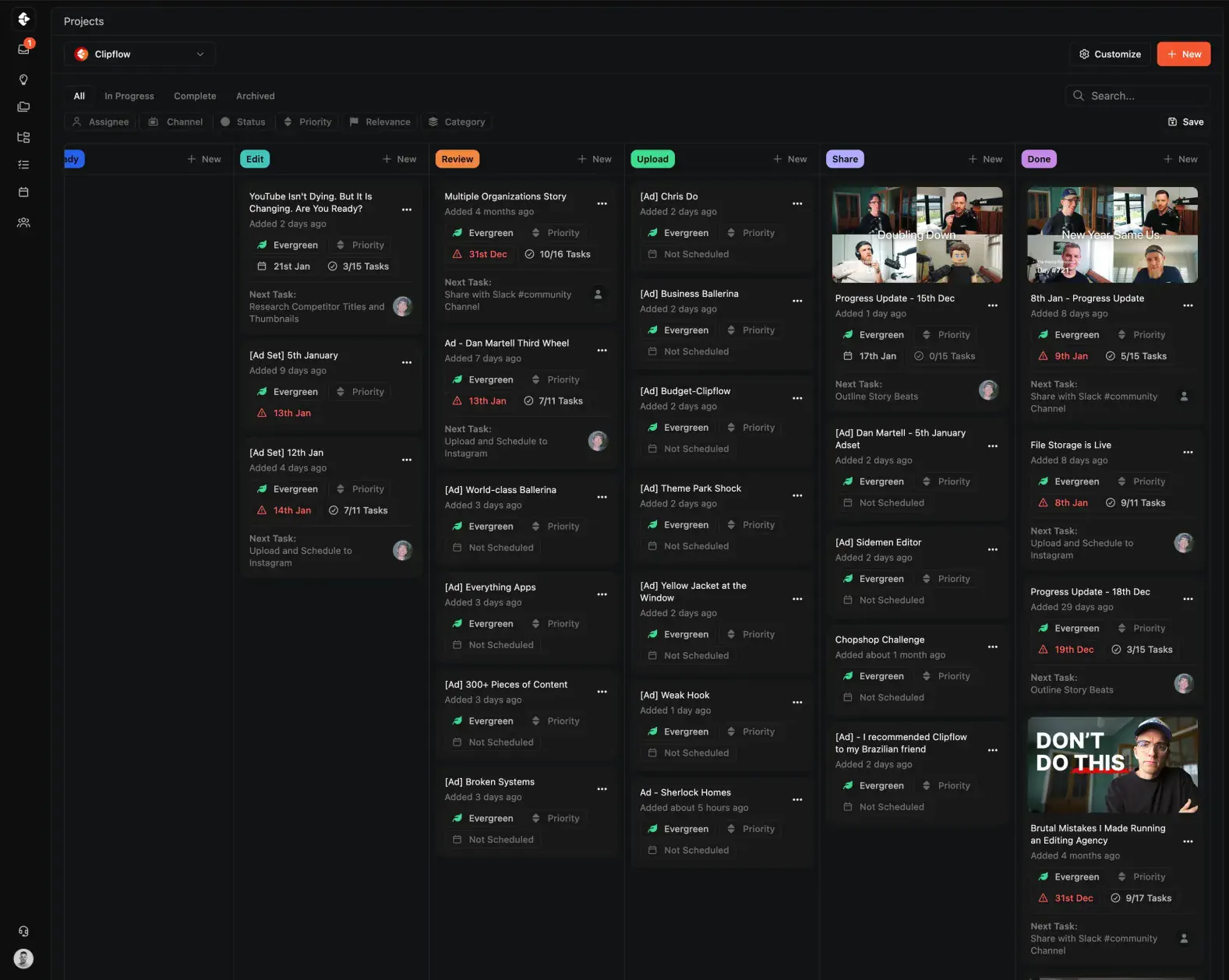
Scripts, tasks, video review, approvals, and publishing in one production workspace.

Purpose-built for content teams, not a generic PM tool stretched to fit production.
Try it Today
Airtable workflow

Airtable

Database-style planning, campaign tracking, and custom views.

Flexible for tracking systems, but often needs significant ops setup for production workflows.

Comparison to Airtable coming soon

Claude Code workflow

Claude Code

Drafting and iterating technical or scripted content with AI assistance.

Great for generation speed, but still needs structured project workflows for collaboration and delivery.

Comparison to Claude coming soon

Why Businesses Switch to Clipflow

Content teams outgrow generic project management tools when production gets real. Here is what teams using popular workflow tools run into, and what the actual cost looks like.

  • Most content teams lose 5-10 hours per person per week switching between project management, review, file storage, and scheduling tools.
  • Status updates get copied manually.
  • Assets get lost in threads.
  • Nobody has a single view of what's shipping this week.
  • A typical multi-tool stack for content production runs $40-80 per user per month across subscriptions alone.
  • The real cost is the operational overhead: onboarding every new hire across 4 platforms, maintaining integrations, and rebuilding broken automations.

Asana works well for generic project management across departments. But content teams hit walls fast.

  • No video review at any plan level
  • Workload management locked behind the $24.99/seat Advanced plan
  • Typical stack cost with Frame.io, Notion, and storage: $217-655/mo

ClickUp can be configured to do almost anything. That is the problem. Teams report 3+ weeks of setup before running their first content project.

  • Guest billing converts free viewers to paid seats without warning
  • No native video review or content-specific workflows
  • Total stack cost with AI, review, and storage add-ons: $207-685/mo

Notion is an exceptional knowledge base and wiki. It is not a production system. Most content teams need a dedicated "Notion person" to build and maintain it.

  • No video review or approval workflows
  • Requires advanced formulas and relations to function
  • When the "Notion person" leaves, the system breaks
  • Stack cost with a PM tool, Frame.io, and automation: $247-760/mo

Trello is the right first tool for content teams starting out. It is rarely the right tool at scale.

  • No task dependencies, no video review, no approval workflows
  • No unified view across multiple clients
  • Calendar, timeline, and time tracking locked behind Premium
  • 10MB file limit on free plans makes video unusable
  • Stack cost with review, docs, and Power-Ups: $182-565/mo

Frame.io is the best video review tool available. It is also only one step in content production.

Clipflow starts where those tools run out.

Compare Content Operations Tools

See how Clipflow compares in capability from other tool choices for content teams.

Swipe horizontally to compare

CapabilityClipflowAsanaClickUpNotion
Built forContent teamsEnterpriseCross-functional teamsGeneral Teams
Primary PurposePurpose-builtGeneral PMGeneral PMDocs-first
Video review + approvalsBuilt inNeeds add-on toolLimited / add-onsNo native
Client share links / portalsBuilt inNo nativeWorkaroundsWorkarounds
Cross-channel publishing workflowBuilt inNot nativeRequires setupNot native
Template-driven production systemContent-native templatesGeneric templatesConfig-heavy templatesManual setup
Operational overhead at scaleLowMedium-HighHighHigh

What teams are saying

"I've been using it daily for 10 months and it's one of the best decisions I've ever made for my agency. It's been a game changer for me and for my clients. It's frictionless."

Hansel Alvarez

Halva

"Keeping our whole team organized and on schedule. It helps us deliver quality work for our clients daily."

Naomi Porter

Creator Service Co.

"We're producing 80 to 100 pieces of content a month, moving to 150 to 200 for 15 to 30 different clients. We have no concern with how we're going to scale."

Oscar Mitchell

True Cut Media

"I've been using it daily for 10 months and it's one of the best decisions I've ever made for my agency. It's been a game changer for me and for my clients. It's frictionless."

Hansel Alvarez

Halva

"Keeping our whole team organized and on schedule. It helps us deliver quality work for our clients daily."

Naomi Porter

Creator Service Co.

"We're producing 80 to 100 pieces of content a month, moving to 150 to 200 for 15 to 30 different clients. We have no concern with how we're going to scale."

Oscar Mitchell

True Cut Media

Last updated: March 2026

Reviewed by: Clipflow Editorial Team

All product names, logos, and brands are property of their respective owners. Use of these names and logos is for comparison and identification only, and does not imply affiliation or endorsement.

Frequently Asked Questions

Do content teams actually need a specialized tool?
General project management tools can track tasks, but they lack production-specific features like video review, multi-stage approvals, and content calendars. Teams using generic tools typically patch gaps with 3-4 additional apps, which adds cost, fragments visibility, and creates manual handoff overhead that grows with every new hire.
What features should I look for in a content workflow tool?
Prioritize built-in video and asset review, multi-stage approval workflows, content calendar with publishing integration, and real-time production status across all projects. Role-based permissions, client-facing review links, and task dependencies that reflect how content actually moves from brief to publish are also worth evaluating.
Can a general project management tool handle content production?
It can handle the task-tracking layer, but content production also requires asset versioning, visual review, stakeholder approvals, and publishing coordination. Most teams using tools like Asana, Notion, or Trello end up adding Frame.io for review, Google Drive for files, and Slack for status updates to fill those gaps.
How much does a content team workflow stack actually cost?
A typical stack of project management, video review, file storage, and scheduling tools runs $40-80 per user per month when you combine subscriptions. Beyond subscription cost, the real expense is the time spent context-switching between tools, manually syncing statuses, and onboarding new team members across multiple platforms.
What is the biggest difference between Clipflow and other tools on this page?
Clipflow was built for content production from day one. Other tools on this page were built for software, marketing, or general project management and later expanded to cover more use cases. That means Clipflow ships with review, approvals, and production tracking out of the box instead of requiring integrations or workarounds.
How long does it take to switch from our current tools?
Most teams are running production in Clipflow within a few days. Migration complexity depends on how many tools you are consolidating, but because Clipflow replaces several apps at once, the transition often simplifies your stack rather than adding to it. You can migrate one project at a time to reduce risk.
Can I try Clipflow before committing?
Yes. You can start with a free trial to test your full workflow before choosing a paid plan. No credit card required.
What if my team uses both content and non-content workflows?
Clipflow handles content production workflows. Teams that also run software sprints or IT operations typically keep a general-purpose tool for those and use Clipflow for the content side. The goal is not to replace everything, it is to give your content workflow the structure it actually needs instead of forcing it into a generic system.
Clipflow app screenshot
Talk to Us