



















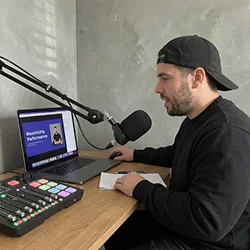







“I've been using it daily for 10 months and it's one of the best decisions I've ever made for my agency. It's been a game changer for me and for my clients. It's frictionless.”

Hansel Alvarez
Halva
Plan the week once, across every brand and the channels you ship to. Schedule from the same place you brief and approve, then publish to Instagram, TikTok, YouTube, Facebook, and LinkedIn without rebuilding the calendar in another tool.
Trusted by content teams shipping every week







High-volume teams drown in calendars and custom spreadsheets. In Clipflow you plan, process and check what’s shipping in seconds across every brand and handle. The post commitments you make, you can finally keep.
Every brand. Every handle. Commitments you can keep.
Shipping multi-platform usually means hopping native apps or keeping a second calendar that drifts from the work. Here one week covers every channel you ship to, next to the project. Auto-publish when you want it, or keep it as a planner the team works from and post natively if you prefer.
One week to publish from, or to work from.
Signing off on finished media shouldn’t create a mountain of follow-up. From approval, media moves straight into posts ready for publishing.
Every post created automatically.
Most teams are hopping platforms, exporting data and building spreadsheets just to try and make better content. In Clipflow, connected channels pull performance that lives with your planning for faster feedback cycles, with your entire historical library there to make production faster.
Live posts, real data to make more.
Your channels live in content ops, so everyone on the team can use them. No shared passwords, no logging in and out. The whole organization keeps work moving, without the access problems that slow other teams down.
One shared workspace. No login juggling.
“I've been using it daily for 10 months and it's one of the best decisions I've ever made for my agency. It's been a game changer for me and for my clients. It's frictionless.”
Hansel Alvarez
Halva
“Keeping our whole team organized and on schedule. It helps us deliver quality work for our clients daily.”
Naomi Porter
Creator Service Co.
“We're producing 80 to 100 pieces of content a month, moving to 150 to 200 for 15 to 30 different clients. We have no concern with how we're going to scale.”
Oscar Mitchell
True Cut Media
These pages go deeper on the work that sits next to this one.
Ship more, with less login switching.